In-camera multiple exposure – Lowerhouse
Event Date:
25 June 2026
Event Time:
14:00
Event Location:
2nd Bollington Scout Hut, Albert Road, Lowerhouse, Cheshire, SK10 5HJ, United Kingdom
Event Description
This Thursday we’re heading to Lowerhouse for what promises to be a beautiful early-summer walk — wild roses, sycamore keys, the river, and whatever wildflowers the season has left us.
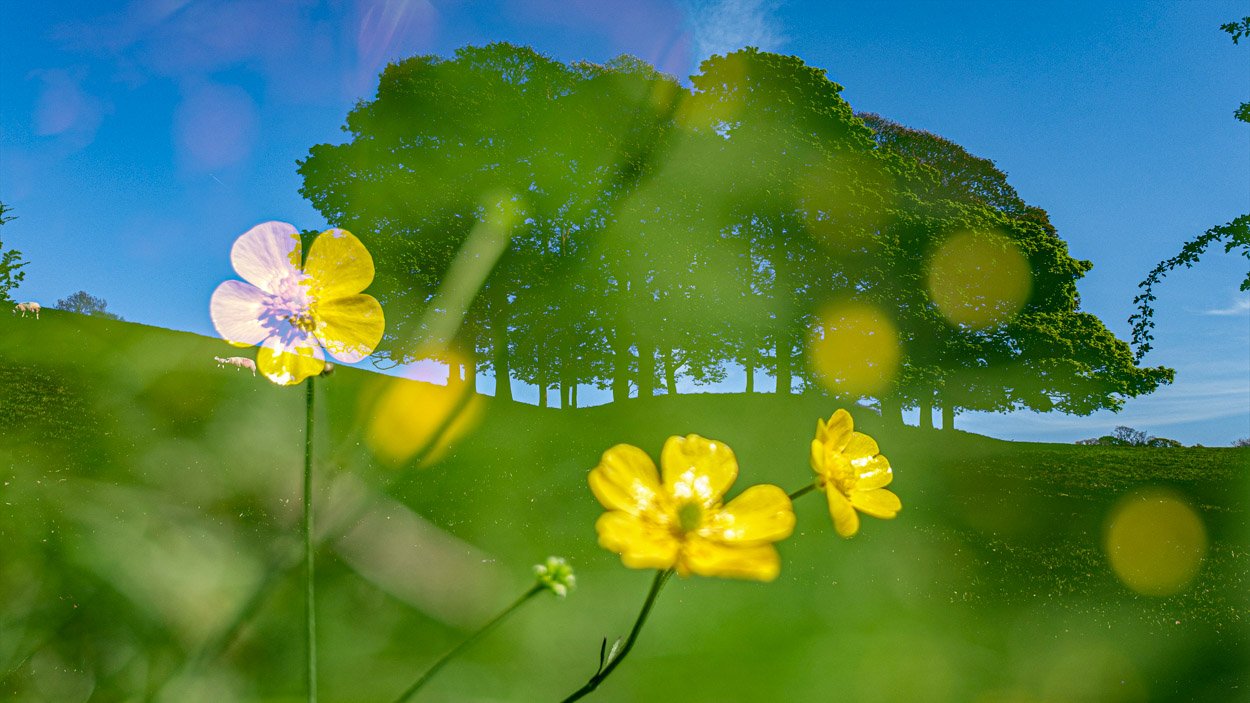
The theme is in-camera multiple exposure, and Lowerhouse is a perfect location for it. The idea is simple: your camera takes two (or more) separate exposures and blends them into a single image in-camera, before you’ve even looked at the back screen. The results can be painterly, dreamlike, and genuinely surprising.
Think about layering the texture of the river’s surface over a close-up of a rose, or ghosting sycamore keys against a bed of bark and lichen. A reflection doubled back on itself. Light through leaves combined with the detail of a single petal. The location gives us natural contrasts — movement and stillness, fine detail and broad texture — which is exactly what makes multiple exposure sing.
A few things to check before Thursday:
- Does your camera have a multiple exposure mode? Most DSLRs and mirrorless cameras do — it’s worth digging into your menu before you arrive
- Experiment with the blending modes if you have them: Additive, Light, and Average all give very different results
- You don’t need to get it right first time — half the joy is the unpredictability
No specialist kit needed, just your camera and a willingness to think in layers.
Alternative for smart phone users –– Still and Moving — Slow Shutter
The idea is simple: you use a long enough shutter speed that anything moving in the frame blurs, while anything static stays sharp. At Lowerhouse this could mean the river becoming a silky smooth flow while the rocks or bankside plants stay crisp, or rose petals trembling in a breeze while the stem holds steady.
On iPhone
The native camera doesn’t give you manual shutter control, but two options work well:
- Slow Shutter Cam (paid, a few pounds) is the go-to app — you dial in the exposure length, choose between motion blur or light trail mode, and it composites the frames together. Very straightforward
- NeuralCam or Camera+ 2 also give manual control
- Alternatively, iPhone’s built-in Live Photo feature can be converted to a long exposure directly in the Photos app — just open the Live Photo, swipe up, and choose Long Exposure from the effects. No extra app needed, and the results on moving water are surprisingly good
On Samsung
Much more straightforward — it’s built in:
- Open the camera, go to Pro mode (or Expert RAW on newer models)
- You can manually set the shutter speed down to several seconds
- A small tripod or resting the phone against something solid makes a big difference